ThinkDTM & IKS Health Making Patient Healthcare Better
We help doctors and hospitals work better by making their daily tasks easier. From handling bills and paperwork to helping with patient care, we provide simple solutions that let healthcare teams focus on what matters most - taking care of patients.
This release gives teams better control over data syncing, improves key onboarding and form flows, and makes the app more reliable across daily workflows.
New Features
Teams can now choose between automatic sync and manual sync, making data updates easier to control
A confirmation step now appears before turning off auto-sync to help prevent accidental changes
Login and branding setup are now more flexible for partner-specific experiences
Statement nudging and expanded Auto/Workers' Compensation form support improve patient communication and form coverage
Improvements
Identification upload and verification screens are cleaner and easier to complete
Care team and identification sections have been refined for a more consistent onboarding flow
ModMed sync controls are clearer, making sync status easier to understand at a glance
Engagement score display on the accounts page is now more accurate and easier to read
Reliability & Performance
Sync behavior is more dependable with stronger fallback handling and cleaner role-based safeguards
App stability improved in runtime encoding and validation checks, reducing edge-case errors
Swift Pass and patient engagement flows now handle updates more smoothly
This release makes the app faster, more stable, and easier to use.
This release focuses on accuracy and stability improvements that make check-in and onboarding more reliable, reduce workflow interruptions, and keep rollout behavior consistent.
Improvements
Check-in screens now present payment and status details more clearly, helping staff move through reviews faster
Provider setup is more flexible and easier to adapt to different clinic needs
Document transfer between connected systems is more consistent, improving end-to-end processing speed
Reliability & Performance
Profile and appointment matching is now stricter, reducing wrong-profile check-in issues
Care team data saves more reliably, reducing retries and follow-up corrections
Date handling for patient and appointment records is more consistent, improving sync accuracy across connected systems
Feature flag and authentication behavior for the WW Postgres rollout is more stable, helping updates roll out more smoothly
Error handling on nudge configuration flows is more resilient, leading to fewer interruptions
This release makes the app faster, more stable, and easier to use.
This release introduces multi-profile login, expands Swift Pass across more workflows, and delivers a smoother, more reliable experience with visual refinements and stronger form handling.
New Features
Multi-Profile Login — Patients with multiple profiles linked to the same phone number can now switch between them seamlessly during sign-in
Document Quality Check — Uploaded documents now go through an automatic image quality check, helping ensure clearer and more usable files
Live Insurance Re-Evaluation — When insurance details are updated in Campaign Manager or MyCare Journey, the system now automatically re-evaluates linked records to keep everything accurate
Improvements
A fresh, consistent theme with clean white content areas has been applied across all pages for a more polished look
Provider dropdowns in Medical, Workers' Compensation, and Auto insurance sections now return more complete and relevant results
The Estimate & Pay section has been refreshed with a cleaner layout
The identification section is easier to use on mobile, with improved license and ID upload handling
Staff can now see additional status details on inactive records for better visibility at a glance
Release of Information and Electronic Consent sections are now clearly separated in MyCare Journey for a more logical flow
Reliability & Performance
Form validation is stronger across the board — ZIP codes enforce 5-digit US format, required fields are properly checked, and upload steps no longer skip validation
Insurance signatures persist correctly when switching between sections, removing the need to re-sign
Onboarding in MyCare Journey flows more smoothly with fixes to section ordering and data handling
Patient proxy and Release of Information forms now save and validate data more reliably
Appointment sync uses improved date handling for more consistent scheduling records
Clinic configuration mapping in the engagement engine is now more accurate, and onboarding completion checks work reliably
Core streaming dependencies have been stabilized, resolving a data pipeline issue under heavy load
This release makes the app more flexible for multi-profile users, speeds up check-in with Swift Pass, and delivers a more polished and reliable experience across the board.
This release introduces Swift Pass for faster patient payments, a fully autonomous engagement engine that handles outreach end-to-end, and more powerful scheduling controls for the nudging system.
New Features
Swift Pass Payments — Eligible patients can now use Swift Pass for quicker payments, with per-user enable/disable controls and a streamlined checkout flow in Campaign Manager and MyCare Journey
Guided Onboarding Steps — A new step-by-step onboarding flow in Campaign Manager and MyCare Journey helps patients complete setup faster and with fewer errors
Autonomous Engagement Engine — PACE now runs fully self-orchestrating engagement campaigns, scanning for patients with upcoming appointments, applying smart triggers, and sending personalized nudges at the best times — all without manual effort
Integration Layer Writebacks — Appointment and form data now syncs back to external systems automatically through new integration APIs
Insurance Auto-Crop — Auto-crop is now available in the insurance section for cleaner, more consistent document uploads
Integration Sync in Engage 360 — A new sync card gives staff real-time visibility into integration status at a glance
Improvements
PACE Companion now streams responses token-by-token for faster, more natural conversations
The onboarding scheduler supports new filters for specialty, appointment status, provider, location, and reason — plus a dry-run mode to preview results before sending
Engagement scores and filters are now visible on the accounts page for better patient insight
Batch payment nudges are now behind a feature flag for safer, more controlled rollouts
Payer and provider admin pages now respect feature flags for more flexible configuration
Google Analytics tags have been added to onboarding for better usage tracking
Reliability & Performance
Campaign goal processing now correctly resolves aliases, ensuring exclusion rules apply across all campaign types
Release of Information forms regenerate correctly for returning users
The nudging system now validates edge cases — cancelled, deleted, or rescheduled appointments are handled before any messages are sent
Core database dependencies have been stabilized, resolving a streaming issue on large data queries
Environment configuration for PACE is now read dynamically, preventing connection issues across deployment environments
This release makes patient payments faster, outreach smarter, and the platform more reliable across the board.
This release introduces an automated engagement workflow engine for smarter patient outreach, adds Release of Information support in Campaign Manager, and delivers several data accuracy and performance improvements.
New Features
Automated Engagement Workflows — The platform now manages patient outreach automatically with smart escalation, response tracking, and scheduled follow-ups across multiple touchpoints
Release of Information in Campaign Manager — Staff can now view and manage Release of Information entries directly within Campaign Manager, with flexible display options for different workflows
Engagement Score on Billing Events — Billing activity now triggers engagement score updates automatically, keeping patient engagement data accurate without manual effort
Improvements
Patient profile updates now save names and demographics more accurately across Campaign Manager
Workers' compensation forms now capture employer ID for more complete records
City search in provider lookup now returns correct results
Consent form data syncs more reliably when returning to the batch signing flow
Reliability & Performance
Care team data operations are faster with optimized database connections
Insurance data handling in digital check-in is more consistent and type-safe
Engagement tracking gracefully handles cases where patient records are still being created
Unused internal API routes were removed for a cleaner and more secure codebase
This release makes patient outreach smarter, forms more reliable, and the platform faster overall.
This release brings clearer live campaign tracking, a smoother onboarding experience, and stronger form reliability so teams can move faster with fewer interruptions.
New Features
Live Campaign Progress — Campaign pages now show real-time execution updates, so teams can follow progress as it happens
Campaign Voice Execution — Voice-driven campaign actions are now supported with smoother interruption handling for more natural conversations
Smarter Goal Setup — New automation helps generate service types and validate goals, making campaign planning easier and more consistent
Expanded Configuration Tools — Added service type and scheduling rule management, plus easier payer and provider administration
Improvements
MyCare Hub branding and setup experience have been refined for a cleaner and more guided first-time experience
Forms and insurance steps are more streamlined across Campaign Manager and MyCare Journey, including easier insurance entry and better section handling
Care team and patient detail screens were updated for clearer data entry and faster completion
Reliability & Performance
Date and time handling across appointments, patients, and touchpoints is now more consistent for better accuracy
Campaign and workflow execution is more resilient, with stronger fallback behavior and faster goal processing
Signature and document handling is more dependable, reducing delays in batch-sign and form completion flows
Key usability updates in search and validation improve day-to-day speed and reduce rework
This release makes the app faster, more stable, and easier to use.
This release introduces feature flags for safer rollouts, improves patient liability estimates with real-time payer data, and strengthens insurance form handling across the platform.
New Features
Smarter Liability Estimates — Patient cost estimates now pull real-time payer data, cache results for faster lookups, and automatically recalculate when insurance information changes
Payer Name on Estimates — The insurance payer name now appears directly on the price card so patients and staff can see who's responsible at a glance
Contextual Chat Suggestions — PACE Companion now shows smart, context-aware action suggestions based on the conversation, making it easier to take the right next step
CXOne Contact Center — Added support for CXOne, enabling enhanced patient communication through the contact center
**AutoCrop - A new feature to autocrop license images is now available in campaign manager.
Improvements
Workers' compensation and auto insurance forms now validate all required fields before submission, reducing incomplete records
Saving workers' compensation data no longer accidentally clears other insurance information
PDF file uploads are now locked in Campaign Manager and MyCare Journey to prevent processing errors
The check-in page handles missing or blank data more gracefully, reducing empty results
Content security headers have been added to Campaign Manager for stronger browser-level protection
Provider validation and error handling improved for the CNability integration
Reliability & Performance
A centralized secret management package ensures safer and more consistent configuration across all services
Payer data is cached to reduce duplicate lookups and speed up estimate calculations
An automated workflow now merges approved development changes, reducing manual steps and shortening deployment cycles
This release makes the platform more reliable, more accurate with billing estimates, and safer to configure.
This release introduces an intelligent Voice Agent for automated patient outreach, and a new Engagement Goals system to track and improve patient engagement.
New Features
Voice Agent — PACE can now call patients directly with natural-sounding speech, smart conversation handling, and the option to switch to SMS if the patient prefers
Campaign MGT Goals & OKR System — Set measurable engagement targets, track progress with OKR-style metrics, and automatically create campaigns from goals
Profile Picture Extraction — Patient photos are now automatically pulled from uploaded driver's licenses
Statement Notifications — Patients can now receive statement notifications for better billing transparency
Logo & Branding Configuration — Super-admins can customize the client logo directly from a new configuration page
Improvements
The login page has been completely redesigned with a cleaner, more modern look
"AAW Score" is now called "Engagement Score" across the platform for clarity
A new Campaigns tab in the sidebar makes campaign management easier to find
Tenant configuration is now fully customizable across all sections
Patient liability estimates display the correct provider details and financial clearance dates
Workers' compensation and auto insurance writeback now correctly maps policy and group numbers
Copay information in the check-in modal is more reliable with better fallback handling
Reliability & Performance
Insurance eligibility verification is now more resilient with improved error handling and reduced retry overhead
Appointment, patient, and touchpoint data parsing has been refined for better accuracy
Voice calls achieve fast response times with optimized text-to-speech streaming
Secret management has been centralized for safer and more consistent configuration across services
This release also makes the app faster, smarter, and easier to use — with new tools for patient engagement and a smoother check-in experience.
This update focuses on making check-in faster, tightening up payment tracking, and giving clinics more flexibility around when patients need to upload ID and insurance images.
Accessibility: Forms, Signatures & Image Uploads
Added the option to skip ID and insurance image uploads in specific situations, helping patients move through check-in faster when documents are already on file or not required
Improved how forms and visit details are processed behind the scenes so the “skip image upload” setting consistently shows up in the right places
Ensured required signatures are always collected where needed, keeping forms compliant while still feeling simple for patients
Fixed visibility issues with certain workers’ compensation and auto-related forms so the right paperwork appears at the right time
Upated the estimates section to pull live / realtime information
Updated the operations popup to always look for latest info from DB instead of cached store.
Transaction Tracking
Added clearer payment time tracking for online transactions so payment history is easier to understand and reconcile
Improved how online payments are stored and indexed so related details load more reliably across dashboards and reports
Refined payment data handling so patient balances and payment timelines stay accurate even as more transactions flow through the system
Check-In Reliability & Security
Restored a missing completed-forms list so staff can quickly confirm which patients have finished their paperwork
Temporarily hid an in-progress form from the check-in experience to keep today’s workflow focused and stable while we continue improving it
Updated the SMS-based phone verification flow to refresh the security check automatically when needed, keeping sign-in smooth and protected
Tuned background workers that drive form visibility and status updates so they behave more predictably under load
This release makes the app more stable, and easier to use.
This update focuses on making forms easier to complete and manage, improving check-in search, and starting a gradual rollout of multiple languages in the patient experience.
Forms & Insurance
Refreshed Auto Insurance and Workers’ Compensation forms for a clearer, more consistent experience
Insurance details can now sync back automatically after submission, reducing manual follow-up
Improved PDF form generation so downloads and printouts are more reliable
Check-In Improvements
Added an “Estimated Patient Responsibility” filter to quickly find patients by what they may owe
Online payment transactions are tracked more consistently, which helps related details load more reliably
Patient Onboarding
Proxy forms can now pre-fill details for minors when appropriate
Skips confirmation steps when there’s nothing to review, keeping the flow quick
Language Support (rolling out)
Added multi-language support across key patient pages, rolling out gradually to ensure a smooth experience
Reliability Improvements
Improved behind-the-scenes processing so the right insurance forms show up at the right time
This release makes the app faster, more stable, and easier to use.
We're excited to share our latest updates that bring significant improvements to data processing, better event handling, and enhanced system reliability. This release focuses on making the platform more efficient, faster, and more reliable with improved data parsing, smarter event processing, and better infrastructure management.
Introducing Data Pulse
What is Data Pulse?
Data Pulse is our new system that automatically detects and captures every change to your data in real-time. Think of it as a heartbeat monitor for your information—it watches over your patient records, appointments, and touchpoints, instantly recognizing when anything updates, gets added, or changes.
Why Data Pulse Matters
In healthcare, having the most up-to-date information is critical. Data Pulse ensures that every change to patient data is immediately recognized and processed, so you're always working with the latest information. Whether a patient updates their contact information, an appointment gets rescheduled, or new touchpoint data arrives, Data Pulse catches it instantly.
How Data Pulse Makes Everything More Reliable
Real-Time Updates: Changes are detected and processed immediately, so you never miss important updates or work with outdated information
Complete Accuracy: By tracking every change automatically, we eliminate gaps that could lead to missing or incorrect data
Faster Processing: Instead of checking everything periodically, Data Pulse only processes what actually changed, making the system faster and more efficient
Better Reliability: With automatic change detection, there's less chance of errors from manual processes or missed updates
Seamless Experience: You get the latest information without any delays or manual refreshes—everything stays in sync automatically
Data Pulse ensures your platform always has the most current and accurate information, making your workflows smoother and more trustworthy.
Performance Improvements
Data Processing
Completely rebuilt how we process patient, appointment, and touchpoint data for faster and more accurate handling
Improved date parsing to handle different date formats more reliably
Enhanced data cleaning and preparation before indexing for better search performance
Optimized document processing to exclude unnecessary fields and improve efficiency
Event Processing
Improved event controller to handle events more efficiently and reliably
Enhanced background job processing with better tracking and management
Technical Improvements
Data Management
Removed Elasticsearch patient sync functionality to streamline data synchronization
Improved ordering keys for better data organization and faster retrieval
Enhanced mapping functionality to better structure data before indexing
Added patient data flattening to clean information before processing
Infrastructure & Reliability
Enhanced Dockerfile configurations for improved deployment
Improved environment configuration management
Added better logging throughout the system for easier troubleshooting
Workers' Compensation
Updated workers' compensation payload structure for better data accuracy
Enhanced logging in workers' compensation writeback processes for better tracking
Security & Configuration
Improved private key parsing for better security handling
Enhanced token expiry date parsing for patient and touchpoint data
Updated environment configuration examples for easier setup
Code Quality
Refactored multiple parsers (appointment, patient, touchpoint) for better maintainability
Improved date utility functions for consistent date handling across the platform
Enhanced document utilities with better deep merge functionality
This release makes the app faster, more stable, and easier to use with improved data processing, smarter event handling, and better system reliability.
We're excited to share our latest update that improves the image capture experience with better visual guidance. This release focuses on helping users capture higher quality images with clearer instructions and examples.
User Interface Improvements
Image Capture
Added good vs bad sample images to image capture guidance modal for clearer instructions
Improved visual guidance to help users understand what makes a good quality image
Streamlined image capture modal with focused examples that show the difference between acceptable and unacceptable image quality
This release makes it easier for users to capture better quality images with improved visual guidance and clearer examples.
We're excited to share our latest updates that bring smarter form handling, improved check-in validation, and a more robust system architecture. This release focuses on making the platform faster, more reliable, and easier to use with enhanced form workflows, better data processing, and streamlined event handling.
New Features
Form Enhancements
Patient information now automatically pre-fills in proxy forms for faster completion
Added default check-in Hixny form to streamline the check-in process
New onboarding completed column in onboarding and check-in pages for better progress tracking
Workers' Compensation writeback functionality for complete data integration
Check-In Improvements
Implemented check-in window validation to ensure appointments are checked in at the right time
Added configurable check-in availability windows for flexible scheduling
Enhanced appointment validation for better workflow management
System Architecture
New support service application for better system organization and scalability
Centralized event handling system using observer pattern for cleaner code architecture
Improved event dispatch for forms with more reliable processing
User Interface Improvements
Form Experience
Moved user signature box to the bottom of Hixny form for better visual flow
Enhanced worker's compensation forms with numeric-only employer ID input for data accuracy
Improved forms progress bar display for clearer completion status
Email Communication
Updated appointment confirmation email template with improved signature formatting
Performance Improvements
Data Synchronization
Optimized sync-recent API for lower system load and better stability in Elasticsearch synchronization
Enhanced background job processing with improved efficiency
Faster data synchronization with reduced server load
Data Processing
New patient appointment reindexing feature for faster search and retrieval
Improved indexing performance with better background processing
Technical Improvements
Infrastructure & Services
Added new support service with protobuf middleware for better inter-service communication
Enhanced logging capabilities with Google Cloud console logging in support services
Improved Dockerfile configurations for better deployment performance
Added proper permissions and build tools for smoother development workflow
Event Handling
Centralized event handling system simplifies code maintenance and improves reliability
Better event observer pattern implementation for cleaner architecture
Enhanced Firestore event handlers for sync-index operations
Security & Monitoring
Enabled audit logging in Campaign Manager for better compliance tracking
Improved system monitoring with enhanced logging capabilities
This release makes the app faster, more stable, and easier to use with smarter form handling, better check-in validation, and a more robust system architecture.
We're excited to share our latest updates that bring better patient communication tools, improved appointment management, and smoother onboarding workflows. This release focuses on making the platform more reliable and user-friendly with enhanced email notifications, better form handling, and smarter data processing.
New Features
Patient Communication
Added appointment confirmation emails to keep patients informed about their upcoming visits
New confirmation modal on identification screen during onboarding for better data accuracy
Added "Pay at Counter" option alongside payment button for flexible payment choices
Document Processing
Added feature flag to enable driver's license OCR functionality for automatic data extraction
Enhanced form processing to automatically use OCR data when patient information is missing
User Interface Improvements
Form Experience
Removed unnecessary scrollbar on Hixny form for cleaner interface
Updated primary care provider name display to show as "Lastname, Firstname" for better readability
Improved visual consistency across form interfaces
Onboarding Workflow
Enhanced appointment check-in status updates to occur automatically when payment is processed
Added comprehensive form status validation before updating check-in status for better accuracy
Improved workflow efficiency with smarter status management
Performance Improvements
Data Synchronization
Added deduplication window for Elasticsearch sync tasks to prevent duplicate processing
Enhanced background job efficiency with better task management
Improved system performance with optimized data synchronization
Technical Improvements
Security & Infrastructure
Added reCAPTCHA to Content Security Policy for enhanced security protection
Improved cloud task endpoint configuration with better base URL handling
Enhanced system security and reliability
Data Processing
Improved OCR data integration to automatically fill missing patient information
Enhanced form submission reliability with better error handling
Better data accuracy across patient workflows
This release makes the app more reliable, easier to use, and better at communicating with patients through automated emails and improved workflow management.
We're excited to share our latest updates that bring powerful new image editing capabilities, improved authentication options, and smoother document workflows. This release focuses on making the platform more flexible, faster, and easier to use with better tools for managing patient documents and enhanced background processing.
New Features
Image Editing Tools
Added new image editor with cropping and rotation capabilities for better document management
Enhanced image upload experience with professional editing tools
Better control over document images before submission
Authentication Enhancements
Enabled email and password login with OTP verification for secure access
Added OTP bypass option via environment flag for flexible authentication workflows
Improved login options for better user experience
Check-In Management
Added new option to toggle check-in status for better appointment management
Enhanced check-in control and flexibility for staff members
User Interface Improvements
Document Workflow
Updated step order in documents layout for more intuitive flow
Removed back button from documents layout to streamline the process
Swapped forms and payment steps order for better user experience
Routes to payment automatically after insurance step completion
Provider Management
Conditionally show PCP provider fields based on context for cleaner interface
Updated border colors for better visual feedback
Fixed image upload option visibility on mobile devices for improved mobile experience
Date Display
Upgraded date formatting across the dashboard for better readability
Improved date consistency throughout the application
Performance Improvements
Background Processing
Refactored patient Elasticsearch sync to use Cloud Tasks background jobs for faster processing
Added public base URLs for Cloud Tasks Elasticsearch sync to improve reliability
Enhanced background job processing for better system performance
Improved scalability with asynchronous data synchronization
Data Processing
Added axios with retry logic for Ony writeback pharmacy and PCP calls for better reliability
Improved error handling and retry mechanisms for external API calls
Enhanced data synchronization efficiency
Technical Improvements
Security & Infrastructure
Switched license and insurance image uploads to Admin SDK for secure production access
Enhanced security for file uploads and document processing
Added base URL to cloud task endpoint for better configuration management
Improved system security and access controls
Code Quality
Upgraded Vitest and Turbo dependencies for better testing and build performance
Refactored date formatting to use centralized utility functions
Improved code organization and maintainability
Better separation of concerns across the application
Data Handling
Added NPI field to PCP writeback payload for complete provider information
Fixed name search ranking for exact full-name matches to improve search accuracy
Enhanced datetime field parsing for better data accuracy
This release makes the app more powerful with new image editing tools, provides better authentication options, and significantly improves workflow efficiency with smoother document processing and faster background jobs.
We're excited to share our latest updates that bring improved security, better user management capabilities, and a more streamlined check-in experience. This release focuses on making the platform more secure, faster, and easier to use with enhanced authorization controls and smoother workflows.
New Features
Check-In Management
Added manager override capability for check-in functionality, giving supervisors more control
New check-in status update feature for better tracking and management
Date of birth is now searchable, making it easier to find patients quickly
User Management
Implemented server-side sorting for user tables, providing faster and more efficient data organization
Enhanced user management with stricter authorization controls for better security
Improved admin user access with expanded tab visibility for comprehensive oversight
Security Enhancements
Centralized authorization layer for all protected resources, ensuring consistent security across the platform
Added email validation in Firestore before login for enhanced account security
Implemented API key protection for cloud task routes
User Interface Improvements
Check-In Experience
Updated check-in functionality with improved status handling and workflow
Enhanced appointment data parsing for better information display
Streamlined interface by disabling the Appointments tab where appropriate
Camera & Image Capture
Improved camera UI with better visual design and user interaction
Enhanced image preview functionality for better user feedback during capture
Dashboard & Navigation
Updated dashboard layouts with better organization and improved information display
Removed summary page for streamlined navigation and faster workflows
Simplified touchpoints account section for reduced visual clutter
Performance Improvements
Data Processing Optimization
Eliminated duplicate API calls in pagination and filter operations for faster page loads
Fixed double API call issues in onboarding details for improved efficiency
Simplified touchpoints account section to reduce system load and improve response times
Search & Integration
Added public base URL support in PCP search for better service discovery
Updated staging URL configuration for improved development workflow
Enhanced appointment format functionality for more efficient data processing
Technical Improvements
Security & Authentication
Removed Elasticsearch authentication bypass for enhanced security
Fixed fetch credentials placement for more secure API communication
Disabled OTP authentication in favor of more secure authentication methods
Enhanced user update API with stricter authorization to prevent unauthorized changes
Code Quality & Maintenance
Removed deprecated local link components and replaced with modern alternatives
Improved code organization and maintainability across the platform
Better error handling and data validation throughout the system
System Configuration
Disabled insurance OCR functionality where appropriate for streamlined processing
Updated staging environment configurations for better testing capabilities
Improved route protection to prevent unwanted redirects and enhance user experience
Bug Fixes
Data & Processing
Fixed insurance data payload issues for accurate information handling
Corrected check-in status handling in complete API for proper workflow
Resolved build errors across applications for improved stability
User Experience
Fixed routing issues that caused unwanted redirects to login page
Improved protected route handling to ensure smooth user navigation
Enhanced email update restrictions to maintain data integrity
This release makes the app more secure, faster, and easier to use with enhanced authorization controls, streamlined check-in workflows, and significant performance improvements.
We're excited to share our latest updates that bring significant performance improvements, enhanced camera functionality, and better system reliability. This release focuses on making the platform faster and more efficient while improving the overall user experience with new features and optimizations.
New Features
AI & Chat Enhancements
Enhanced AI Onboarding Companion with new features and improved capabilities
Updated chatbot interface with better user experience and functionality
Added logic for non-participating providers to improve workflow management
Camera & Image Processing
Added image preview functionality in camera capture for better user feedback
Updated camera UI with improved visual design and user interaction
Enhanced camera capture experience across the platform
User Management
Implemented server-side pagination and search for user management with new API routes
Added conditional client-side fallback for better performance and reliability
Campaign Tools
Added campaign creation tools and improved campaign management page
User Interface Improvements
Camera Experience
Enhanced camera capture interface with better visual feedback
Improved camera UI components for more intuitive use
Dashboard Enhancements
Updated dashboard layouts with better organization and visual appeal
Tuned onboarding journey details page for improved performance
Enhanced settings page with better user experience
Performance Improvements
Data Processing Optimization
Updated pagination and filter links to eliminate duplicate API calls
Optimized onboarding details to prevent double API requests
Implemented server-side forms fetching and caching for Campaign Manager
Increased forms cache duration to 8 hours for better indexing performance
Added caching for forms collection to reduce Firestore calls
Search & Indexing
Improved reindexing with batching for better performance
Enhanced Elasticsearch synchronization with optimized cutoff times
Prepared infrastructure for moving reindexing to dedicated server
Code Optimization
Replaced deprecated components with modern alternatives
Improved data fetching from backend for better efficiency
Technical Improvements
Authentication & Security
Reimplemented authentication using Zustand store with improved hooks and provider
Added Firebase session restoration with custom token generation from HTTP-only cookies
Implemented comprehensive Vitest tests for authentication provider
Enhanced feature flag caching for better performance
Dependencies & Infrastructure
Updated Next.js dependencies across all packages and applications to version 15.4.10
Added TypeScript type imports for better code quality
Enhanced Content Security Policy with 'unsafe-eval' for script sources
Updated log entries and removed unnecessary snapshots from applications
Bug Fixes
Data & Processing
Fixed insurance data payload issues for accurate information handling
Corrected date conversion to UTC for proper timezone management
Fixed data range display issues on dashboard
Reduced Elasticsearch sync cutoff from 6 hours to 30 minutes for better performance
System Stability
Resolved build errors across applications
Removed unnecessary payload logs for cleaner operation
Fixed TypeScript errors in Campaign Manager and MyCare Journey
Updated logic for non-participation provider forms
Routing & Navigation
Removed problematic routes that caused 302 redirects to login
Ensured login is properly skipped for protected routes
Cleaned up routing configuration for better user experience
User Interface
Removed summary page for streamlined navigation
Fixed various UI inconsistencies and layout issues
This release makes the app faster, more stable, and easier to use with significant performance optimizations, enhanced camera features, and improved system reliability.
We're excited to share our latest updates that bring smarter AI chat capabilities, better image viewing tools, and significant performance improvements. This release makes the platform faster, more reliable, and easier to use with enhanced chat features and smoother workflows.
New Features
AI Chat Enhancements
Enhanced chat interface with improved reminder tool for better patient follow-up
New data counting tool in chat to quickly get patient and appointment statistics
Better patient context retrieval for more accurate and helpful responses
Improved AI understanding of patient information and workflows
Image Viewing
Added zoom functionality for card images captured by patients in Campaign Manager
Better image viewing experience with enhanced controls
Improved photo handling and display across the platform
User Interface Improvements
Search & Organization
Doctors are now sorted by last name for easier navigation
Improved medical provider search functionality
Better organization and display of provider information
Check-In & Onboarding
Streamlined check-in and onboarding pages for better workflow
Cleaner interface with improved organization
Better visual consistency across pages
Performance Improvements
Data Processing
Added batching for reading appointments and patient data for faster loading
Optimized Elasticsearch synchronization for better performance
Improved data processing efficiency across the platform
Faster page loads and smoother user experience
Code Quality
Simplified Elasticsearch sync and service implementation
Refactored photo processing logic for better maintainability
Cleaned up unused code and improved code organization
Better system reliability and performance
Bug Fixes
Fixed workers' compensation information not displaying correctly in Campaign Manager
Resolved writeback issues that were affecting data accuracy
Fixed online transaction processing problems
Corrected image viewing issues in Campaign Manager
Improved patient progress tracking for cases where no card is required
This release makes the app faster, more stable, and easier to use with enhanced AI chat tools, better image viewing capabilities, and significant performance improvements.
We're excited to share our latest updates that introduce powerful new campaign management capabilities, enhanced AI-powered chat features, and improved patient communication tools. This release brings intelligent automation to healthcare workflows and makes it easier to engage with patients through targeted campaigns and smarter AI assistance.
New Features
Campaign Management
Added comprehensive campaign management system for creating and executing patient outreach campaigns
New AI-powered query builder that helps you find the right patients for your campaigns using natural language
Campaign preview feature to see which patients will be included before launching
Automated campaign execution with scheduling support
Campaign cancellation and management tools for better control
AI Chat Enhancements
Enhanced chat interface with vector search capabilities for smarter, more accurate responses
New appointment search tool that helps you quickly find patient appointment information
Improved AI understanding of patient data and healthcare workflows
Better context awareness in chat conversations
Patient Communication
New onboarding reminder tool to automatically send reminders to patients who need to complete their forms
Quick confirm feature for faster patient check-in workflows
Enhanced patient status tracking and management
User Interface Improvements
Design System Updates
Added 30+ new AI-focused UI components for building rich, interactive AI experiences
Enhanced chat interface with better visual feedback and smoother interactions
Improved component library with new elements for artifacts, code blocks, confirmations, and more
Better visual consistency across AI-powered features
Campaign Dashboard
New campaigns page with intuitive table view for managing all your campaigns
Clear campaign status indicators and execution controls
Easy-to-use campaign creation form with helpful guidance
Navigation & Interface
Streamlined navigation with improved menu organization
Cleaner interface by removing unused features and routes
Better focus on essential tools and workflows
Hidden campaigns link from navigation for better organization
Technical Improvements
AI & Search Infrastructure
Implemented vector embedding service for semantic search capabilities
Enhanced vector index service for faster and more accurate patient data retrieval
Improved chat API with better tool integration and response handling
Optimized AI query processing for better performance
Removed unused API routes and dependencies for cleaner codebase
Code Cleanup
Removed unused LLM query builder route for cleaner API structure
Removed unnecessary environment variables for better security
Improved code organization and maintainability
Code Quality
Added comprehensive unit tests for onboarding router functionality
Improved user status utilities with better validation and error handling
Enhanced code organization and maintainability across campaign management features
Cleaned up unused code and routes for better maintainability
Bug Fixes
Fixed chat interface issues for smoother user experience
Improved onboarding flow reliability and error handling
Enhanced data consistency in campaign execution
Removed unused features and routes that were causing confusion
This release introduces powerful new campaign management tools that make it easier to reach the right patients at the right time, enhances the AI chat experience with smarter search capabilities, and provides better tools for patient communication and engagement.
We're excited to share our latest updates that bring better system configuration capabilities and improved communication tools. This release focuses on making it easier to customize the platform for different healthcare organizations and communicate important messages to users.
New Features
System Configuration
Added server-side tenant configuration system for better customization and control
Improved tenant-specific settings management across different healthcare organizations
Better support for custom branding and configuration per tenant
Enhanced configuration handling with new context providers and hooks
Communication Tools
New system announcement banner feature to display important messages to users
Banner automatically appears at the top of the page and can be dismissed
Messages reset when navigating to new pages for better visibility
Easy-to-use interface for managing system-wide announcements
User Interface Improvements
Configuration Management
Improved tenant configuration context for better data access
Enhanced dynamic logo support based on tenant settings
Better integration of tenant-specific branding across the platform
Technical Improvements
Configuration & Security
Enhanced server-side configuration handling for better performance and security
Improved tenant data management with better context and hooks
Better separation of configuration concerns across applications
More efficient configuration loading and caching
This release makes it easier to customize the platform for different healthcare organizations, provides better tools for communicating with users, and improves overall system configuration management.
We're excited to share our latest updates that bring powerful new analytics tools, improved data management capabilities, and better performance across the platform. This release focuses on making it easier to analyze patient data, manage date ranges, and keep information synchronized more efficiently.
New Features
Analytics & Reporting
All Dashboard Charts can be downloaded. (Include meta information)
Patient Communication
2-WAY Communcation enabled with Nice SMS Gateway.
Upgrade OCR Library for Insurance Card Scanning.
User Interface Improvements
Dashboard Enhancements
Improved / Smart Date Selector that Default to Today and adapts to help any date range errors.
Flexible Date range filter for all charts
Performance Improvements
Data Synchronization
Optimized Elasticsearch sync with bulk indexing for faster data updates
Applied Timezone fixes for potential appointments coming in a Non EST timezone.
Technical Improvements
Code Quality
Added comprehensive unit tests for onboarding and checkin
Improved code reliability and maintainability
Scalability
Added configuration capability for new installs.
Custom language packs for new installs
Bug Fixes
UTC Date fix for date range filters.
This release makes data analysis easier with new chart download and date range features, improves system performance with optimized synchronization, and provides better tools for managing patient communications and preferences.
We're excited to share our latest updates that bring powerful new analytics tools, improved data management capabilities, and better performance across the platform. This release focuses on making it easier to analyze patient data, manage date ranges, and keep information synchronized more efficiently.
New Features
Analytics & Reporting
Added chart download functionality to save visualizations as images
New date range selector in Campaign Manager for flexible data filtering
Added date range selector to Engage 360 page for better reporting options
Enhanced data analysis capabilities with more flexible time-based filtering
Patient Communication
Added patient opt-out functionality for nudges
Improved patient communication preferences and controls
Better management of patient messaging preferences
Add NICE as an SMS Provider to Nudging Gateway.
User Interface Improvements
Dashboard Enhancements
Improved payment status display logic in check-in workflows
Updated home page cards order in MyCare Journey for better navigation
Enhanced visual organization and user experience across dashboards
Data Display
Better payment status visibility and accuracy
Improved information hierarchy and layout
Performance Improvements
Data Synchronization
Optimized Elasticsearch sync with bulk indexing for faster data updates
Extended sync cutoff time from 15 to 30 minutes for better data coverage
Refactored sync recent endpoint for improved performance and reliability
Faster data processing and synchronization across the platform
Technical Improvements
Code Quality
Added comprehensive unit tests for accounts and appointments
Improved code reliability and maintainability
Enhanced testing coverage for critical features
System Reliability
Better error handling and system stability
Improved code organization and structure
Bug Fixes
Fixed feature flag failure in middleware that was causing access issues
Resolved Elasticsearch index synchronization problems
Improved overall system stability and reliability
This release makes data analysis easier with new chart download and date range features, improves system performance with optimized synchronization, and provides better tools for managing patient communications and preferences.
We're excited to share our latest updates that introduce new improved payment processing, and enhanced check-in capabilities. This release brings significant improvements to the platform while making existing features more reliable and user-friendly.
New Features
Check-In Improvements
Updated check-in date filter for better appointment management
Enhanced QR scanner functionality with inline scanning capabilities
Improved check-in workflow with better date-based filtering options
Data Synchronization
Added automatic patient data synchronization with Elasticsearch on summary page
Enhanced data sync capabilities for better real-time updates
Improved patient information accuracy across the platform
User Interface Improvements
Mobile Experience
Added Apple touch icon for better mobile app integration and recognition
Improved mobile device experience with native app-like features
Enhanced visual consistency across all mobile platforms
Payment Experience
Simplified payment progress calculation for clearer financial tracking
Updated payment messages in check-in modal for better clarity
Improved payment progress bar display accuracy
Enhanced liability calculation logic for more reliable financial information
Technical Improvements
Infrastructure
Updated Dockerfile configurations for better deployment performance
Enhanced application deployment and containerization processes
Improved build processes and resource management
Data Processing
Fixed date of birth conversion for insurance writeback processes
Enhanced data validation and error handling
Improved data accuracy in insurance and patient information systems
Better integration between different system components
Code Quality
Refactored payment progress logic for better maintainability
Improved code organization and structure
Enhanced error handling across payment and check-in workflows
Better separation of concerns in application architecture
Bug Fixes
Fixed payment progress bar display issues in Campaign Manager
Corrected date of birth string conversion for insurance writeback
Fixed check-in date filter functionality
Improved overall system stability and reliability
This release introduces payment processing more accurate and reliable, and significantly improves the check-in experience with better filtering and QR code capabilities.
We're excited to share our latest updates that bring convenient QR code check-in capabilities, new health information forms, and improved provider search functionality. This release focuses on making patient check-ins faster and more seamless while adding new tools for better healthcare data management.
New Features
QR Code Check-In
Added QR code generator and scanner for quick and easy patient check-in
Implemented automatic QR code scanning functionality in check-in flow
Enhanced check-in experience with contactless verification option
Better mobile integration for seamless check-in process
Health Information Forms
Added new Hixny form for improved health information exchange
Enhanced form handling capabilities for better data collection
Improved patient data management with comprehensive form support
Improved provider lookup with better search accuracy and results
Better autocomplete features for finding healthcare providers quickly
Check-In Enhancements
Added patient ID and appointment date display to check-in modal
Improved check-in workflow with better patient information visibility
Enhanced patient identification during check-in process
User Interface Improvements
Mobile Experience
Added Apple touch icon for better mobile app integration
Improved mobile device recognition and app-like experience
Better visual consistency across all mobile platforms
Check-In Interface
Enhanced check-in modal with more patient details
Improved information display for better workflow efficiency
Better visual organization of patient data during check-in
Technical Improvements
Data Integration
Added pharmacy writeback functionality for better data synchronization
Enhanced care team data handling and storage
Improved data flow between patient forms and healthcare systems
Better integration with ModMed and other healthcare platforms
Code Quality
Fixed timestamp conversion import issues
Improved code organization and maintainability
Enhanced error handling across form processing
Bug Fixes
Fixed timestamp import issue in PDF processor
Resolved data synchronization problems in care team management
Improved overall system stability and reliability
This release makes patient check-ins faster and more convenient with QR code scanning, provides better health information management tools, and significantly improves the overall user experience for both patients and healthcare providers.
We're excited to share our latest updates that bring powerful new filtering capabilities, improved document scanning, and better patient data management. This release focuses on making check-in workflows more efficient and document processing more reliable.
New Features
Advanced Check-In Filters
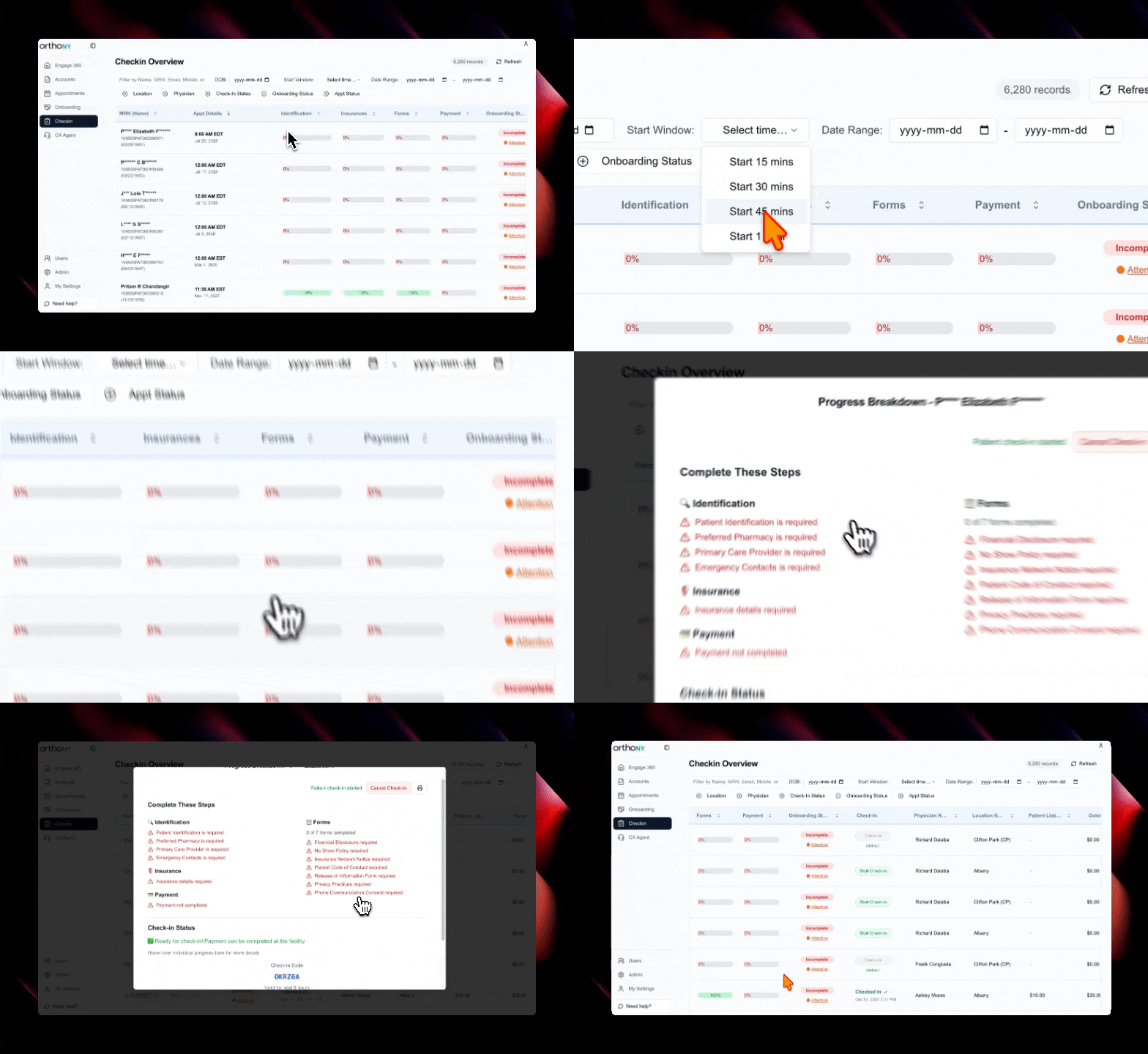
Added date of birth column to check-in dashboard for quick patient identification
New time-based filter option to find appointments within specific time windows (15, 30, 45, or 60 minutes)
Enhanced appointment column display with better organization
Improved insurance form progress tracking with updated pop-up displays
Document Processing
Added driver's license OCR functionality for automatic data extraction from ID cards
Enhanced document title naming for better file organization
Improved image title handling in patient data write-back processes
Patient Profile Management
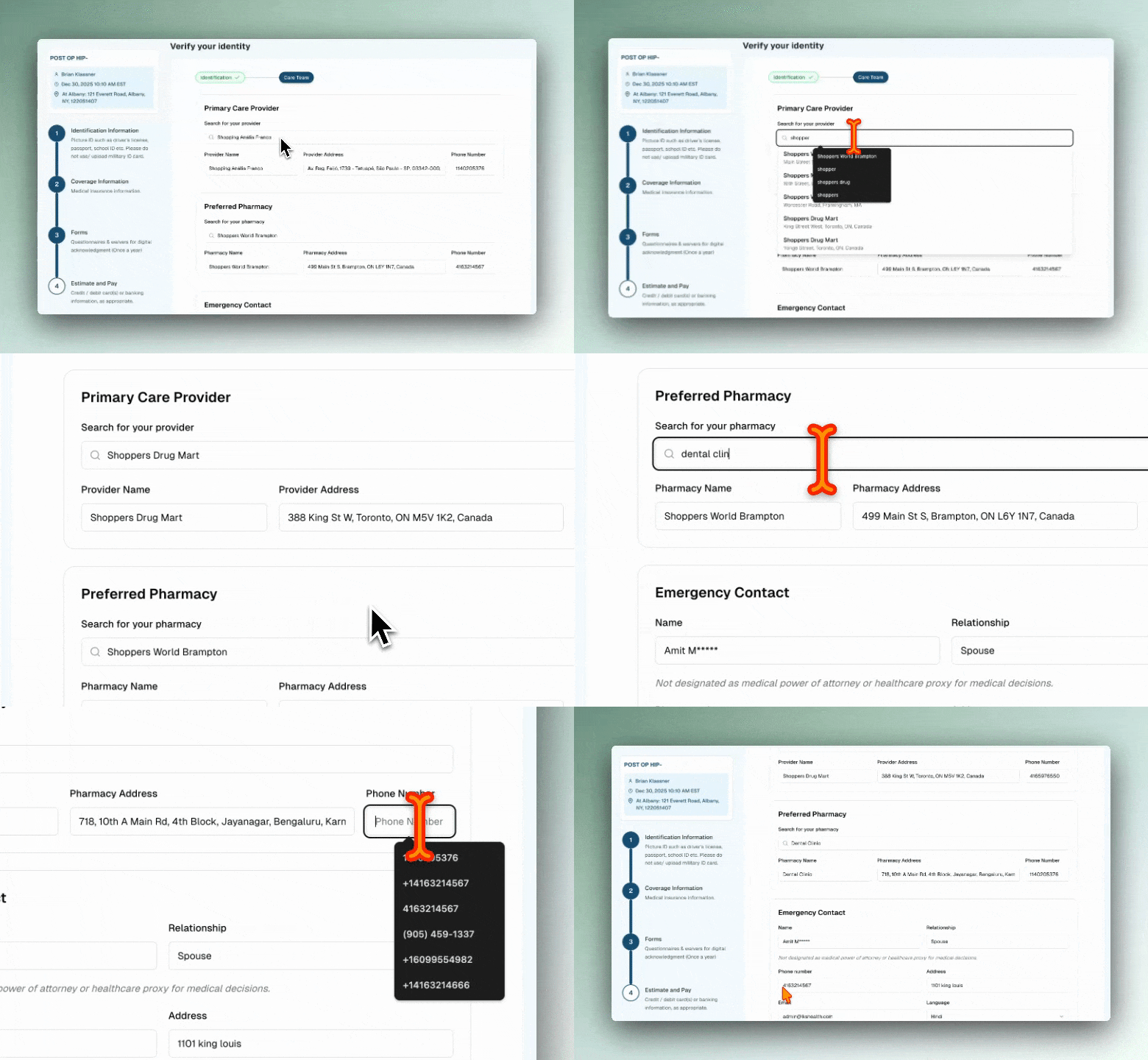
Added emergency contact section to patient profile page in MyCare Journey
Enhanced emergency contact form structure with better data validation
Improved emergency contact write-back payload structure for better data accuracy
Security & Access
Added protected routes for check-in flow to ensure secure access
Enhanced check-in code generation for better security
User Interface Improvements
Check-In Dashboard
Updated check-in page filters for better appointment discovery
Improved appointment status column display
Enhanced insurance provider name display in check-in popups
Better visual feedback for insurance form completion progress
Payment Experience
Updated payment display logic for more accurate financial information
Improved payment progress bar display in Campaign Manager
Enhanced payment processing status messages with clearer language and checkmark icons
Removed confusing "arrive by" label for better clarity
Mobile Experience
Added Apple touch icon for better mobile app integration
Improved mobile layout and visual consistency
Technical Improvements
Data Synchronization
Enhanced appointment status payload structure for better ModMed integration
Improved appointment date and time parsing for write-back processes
Fixed onboarding data save issues for more reliable data persistence
Fixed time window check-in logic for more accurate filtering
Corrected top-owing patients calculation logic
Improved overall system stability and data accuracy
Security
Updated Content Security Policy with additional trusted domains for frame sources
Enhanced security settings for better protection
Bug Fixes
Fixed payment progress bar display issues in Campaign Manager
Resolved time window check-in filtering problems
Corrected onboarding data saving issues
Fixed top-owing patients calculation logic
Improved appointment date and time handling
Enhanced emergency contact data collection and storage
This release makes the check-in process more efficient with powerful new filtering tools, provides better document scanning capabilities, and significantly improves data accuracy and security across the platform.
We're excited to share our latest updates that bring significant improvements to patient onboarding, appointment management, and system reliability. This release focuses on making the patient journey smoother and more reliable while enhancing the overall user experience.
New Features
Enhanced Appointment Management
Standardized appointment status handling for better ModMed integration
Improved appointment details display across all dashboards
Better appointment status tracking and management
Enhanced appointment workflow consistency
Improved Patient Onboarding
Made onboarding steps unique for each appointment for better personalization
Enhanced emergency contact form with better data collection
Improved patient liability display with hover tooltips and pop-ups
Better progress tracking throughout the onboarding process
User Interface Improvements
Camera & Document Capture
Enhanced camera capture UI with better visual indicators
Added helpful text and indicators to guide users during document capture
Improved camera component user experience
Better visual feedback during document scanning
Dashboard Enhancements
Streamlined appointment details display across all dashboards
Improved patient liability tooltips with better accessibility
Enhanced visual feedback and user guidance
Better data presentation and organization
Technical Improvements
Payment Processing
Simplified payment progress calculation for better performance
Improved payment calculation accuracy and reliability
Enhanced payment workflow efficiency
Better error handling in payment processes
ModMed Integration
Added comprehensive error handling for ModMed document write-back
Fixed PDF processor field name issues for better data accuracy
Improved ModMed integration reliability and error recovery
Enhanced document processing and data synchronization
System Reliability
Improved error handling across all major workflows
Enhanced data validation and processing accuracy
Better system stability and performance
Improved code organization and maintainability
Bug Fixes
Fixed camera capture UI issues and improved user guidance
Resolved PDF processor field name problems
Corrected appointment status handling inconsistencies
Fixed emergency contact form data collection issues
Improved overall system stability and reliability
This release makes the patient onboarding process more personalized and reliable, provides better appointment management tools, and significantly improves the overall system stability and user experience.
We're excited to share our latest updates that bring significant improvements to the check-in process, enhanced camera functionality, and better form handling. This release focuses on making patient check-ins smoother and more reliable while improving the overall user experience.
New Features
Enhanced Check-In Experience
Added OTP (One-Time Password) flow for secure patient verification during check-in
Implemented "Arrived" status tracking with date stamps for better appointment management
Added arrival date display on the check-in dashboard for improved visibility
Enhanced check-in status management with better patient state tracking
Camera & Document Features
Enabled camera functionality for both tablet and phone devices
Added toast notifications for better camera feedback and user guidance
Improved camera capture experience with enhanced user interface
Better document scanning capabilities across all device types
Provider Search & Integration
Integrated NPI Registry for primary care provider search functionality
Enhanced provider lookup with better search capabilities
Improved provider data accuracy and selection process
Added ModMed integration for better healthcare system connectivity
User Interface Improvements
Check-In Dashboard
Updated color schemes and warning signs for better visual clarity
Improved status indicators and patient information display
Enhanced dashboard layout for better workflow efficiency
Better visual feedback throughout the check-in process
Form Handling & Validation
Significantly improved PDF form handling and write-back integration
Enhanced form validity checking with better error detection
Improved form data processing and validation accuracy
Better form submission handling and user feedback
Emergency Contact Management
Enhanced emergency contact handling with better data collection
Improved contact information validation and storage
Better emergency contact display and management interface
Technical Improvements
Security & Performance
Fixed Content Security Policy (CSP) issues in both Campaign Manager and MyCare Journey
Added stage URL support in CSP policies for better security
Centralized logout functionality in MyCare Journey app
Fixed logout button functionality for better user experience
Data Processing
Cleaned up NPI integration and write-back logic for better performance
Improved data synchronization and processing efficiency
Enhanced insurance verification with date tracking
Better data validation and error handling
Code Quality
Refactored authentication and logout systems for better maintainability
Improved code organization and component structure
Enhanced error handling and user feedback systems
Better separation of concerns in application architecture
Bug Fixes
Fixed various UI inconsistencies and layout issues
Resolved form validation problems and data processing errors
Corrected camera functionality issues on different devices
Fixed logout and authentication flow problems
Improved overall application stability and reliability
This release makes the check-in process more secure and user-friendly, provides better camera functionality across all devices, and significantly improves the overall reliability and performance of the healthcare platform.
We're excited to share our latest updates that bring a completely redesigned check-in experience with powerful new filtering options, improved financial tools, and enhanced patient data management. This release focuses on making the check-in process more efficient and giving healthcare providers better insights into patient information.
New Features
Advanced Check-In Dashboard
Completely redesigned check-in interface with improved user experience
Added arrival date tracking for better appointment management
New appointment status filtering to quickly find specific patient types
Date range filtering for flexible data viewing and reporting
Enhanced progress tracking with detailed analytics and visual indicators
Financial Management Tools
Added estimate liability modal for better cost transparency
Improved payment adjustment mapping for accurate financial calculations
Enhanced patient liability tooltips with better accessibility
Better financial data display and calculation accuracy
Patient Data Enhancements
Added date of birth (DOB) synchronization during patient data sync
Improved patient data handling and progress calculation
Enhanced data accuracy and consistency across the platform
User Interface Improvements
Check-In Experience
Redesigned check-in table with better column organization
Added "Checked In" status tracking for clear patient state visibility
Improved table pagination with better row management
Enhanced visual feedback and user guidance throughout the process
Data Management
Better column ordering for improved workflow efficiency
Enhanced filtering capabilities for both check-in and onboarding pages
Improved data presentation and organization
Better accessibility features for all users
Technical Improvements
Performance & Reliability
Optimized data processing and calculation algorithms
Enhanced analytics and progress tracking capabilities
Improved error handling and data validation
Better code organization and maintainability
Data Processing
Enhanced Elasticsearch integration for faster data retrieval
Improved server-side data handling and processing
Better synchronization between different data sources
Optimized database queries and data fetching
Bug Fixes
Fixed payment adjustment mapping issues in liability calculations
Resolved accessibility issues with patient liability tooltips
Corrected table pagination problems on onboarding and check-in pages
Fixed column ordering issues in check-in tables
Improved data synchronization accuracy
This release makes the check-in process more efficient, provides better financial insights, and significantly improves the overall user experience for healthcare providers managing patient appointments and data.
We're excited to share our latest updates that bring a completely redesigned check-in experience and significant performance improvements. This release focuses on making patient check-ins more efficient and the overall platform faster and more reliable.
New Features
Check-In Dashboard
Completely redesigned check-in experience with a new dashboard interface
Added progress tracking with visual indicators and completion status
Implemented show/hide columns functionality for better data management
Added pop-up notifications instead of hover tooltips for improved user experience
New progress bar and individual progress breakdown tooltips
Financial Management
Added outstanding balance tracking and display
Enhanced accounts page with total records count
Improved financial data accuracy and calculations
Performance Improvements
Search & Data Processing
Significantly optimized Elasticsearch performance for faster data retrieval
Improved search indexing with async patient reindexing during onboarding
Enhanced data processing efficiency across the platform
User Interface Enhancements
Navigation & Layout
Updated navigation structure for better user experience
Fixed canvas padding issues for improved visual consistency
Reorganized column order on check-in pages for better workflow
Visual Feedback
Added green checkmark indicators when check-in is completed
Enhanced progress visualization with detailed breakdowns
Improved loading states and skeleton screens
Technical Improvements
Feature Management
Added new feature flags for better control over functionality
Enhanced server-side data processing capabilities
Improved error handling and user feedback
Code Quality
Refactored Elasticsearch service for better maintainability
Optimized data fetching and caching strategies
Enhanced type safety and code organization
Bug Fixes
Fixed amount calculation issues in financial displays
Resolved canvas padding problems in webcam capture
Corrected outstanding amount updates
Fixed various UI inconsistencies and layout issues
This release makes the app faster, more stable, and easier to use with a completely redesigned check-in experience, better financial tracking, and significant performance improvements.
We're excited to share our latest updates that bring powerful new features for managing patient care teams and significantly improved document processing capabilities. This release focuses on making healthcare workflows more comprehensive and user-friendly.
New Features
Care Team Management
Added comprehensive care team section to patient identification process
Created emergency contact management with full contact details
Added preferred pharmacy selection with Google Places integration
Implemented primary care provider management system
Enhanced patient data collection with better validation
Advanced Image Processing
Built powerful image format conversion system supporting JPEG, PNG, WebP, AVIF, and TIFF
Added intelligent format handling that preserves original formats when appropriate
Implemented image optimization with quality control and metadata stripping
Created server-side image processing capabilities for better performance
Google Places Integration
Added Google Places API integration for location-based searches
Implemented autocomplete functionality for pharmacy and provider searches
Created place details fetching with formatted addresses and phone numbers
Enhanced location data accuracy and user experience
Improvements & Fixes
Document Processing Enhancements
Fixed camera capture and OCR functionality for better document scanning
Improved file upload handling with automatic OCR data acceptance
Enhanced driver's license and insurance card processing
Fixed capture result modal display issues
Improved form validation across all document types
User Experience Improvements
Fixed auto-focus on OTP input fields for better mobile experience
Improved no-insurance data display and user interface
Enhanced form validity checking with comprehensive error handling
Better error messages and user feedback throughout the application
Infrastructure & Performance
Optimized Dockerfile configurations for better deployment performance
Updated changelog deployment with improved build processes
Added Sharp image processing package for better performance
Enhanced package dependencies and build configurations
Technical Improvements
Consolidated form validation logic for better maintainability
Improved OCR processing with better error handling
Enhanced data validation across all patient forms
Better separation of concerns in component architecture
Improved TypeScript type safety throughout the application
This release makes the app more comprehensive for patient care management, significantly faster for document processing, and much more reliable for everyday use.
We're excited to share our latest updates that bring significant improvements to the payment experience and overall user interface. This release focuses on making healthcare payments more seamless and the user experience more intuitive.
New Features
Enhanced Payment System
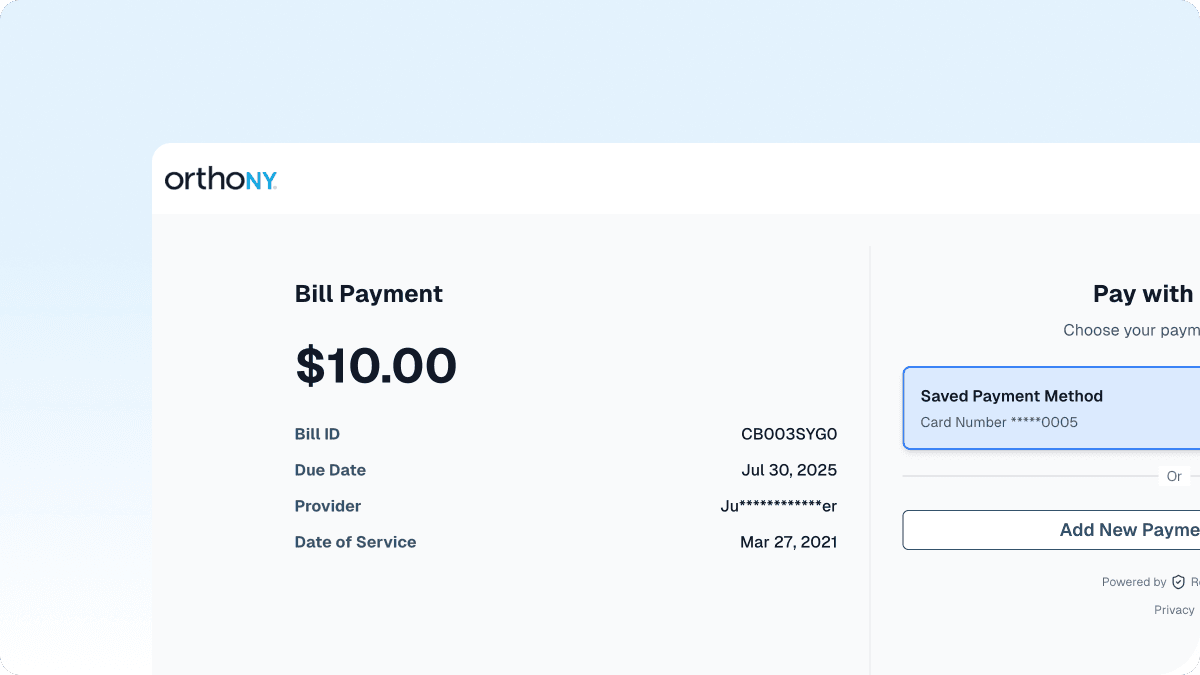
Added comprehensive payment functionality with a streamlined form interface
Created a dedicated payment success page for better user feedback
Integrated secure payment processing with improved error handling
Enhanced payment flow with better validation and user guidance
Improved User Experience
Consolidated navigation components for better consistency across the platform
Updated toast messages to provide clearer feedback for payment nudges
Improved appointment selection interface with better date handling
Enhanced dashboard with more accurate patient data display
Bug Fixes & Improvements
Time Zone Corrections
Fixed date calculations to properly convert from UTC to EST
Updated live calculations to display accurate local times
Improved appointment scheduling with correct timezone handling
UI/UX Enhancements
Refactored header component for better maintainability and consistency
Improved individual account profile display
Enhanced top-owing patients dashboard with better data presentation
Streamlined onboarding details page for better user flow
Infrastructure Improvements
Optimized Dockerfile configurations for better deployment performance
Improved build processes and containerization
Enhanced changelog app deployment with better resource management
Streamlined development workflow with better configuration management
Technical Improvements
Consolidated shared components for better code reusability
Improved error handling across payment flows
Enhanced data validation and form processing
Better separation of concerns in component architecture
These updates represent our continued commitment to making healthcare technology more accessible and user-friendly. We're constantly working to improve the experience for both healthcare providers and patients.
We're excited to launch our new changelog! This is where we'll share updates about our healthcare technology solutions and keep you informed about the latest improvements we're making to help doctors and hospitals work better.
Our changelog is designed to be simple, clear, and easy to follow. You'll find information about new features, bug fixes, and improvements that matter to you and your team.
What's New
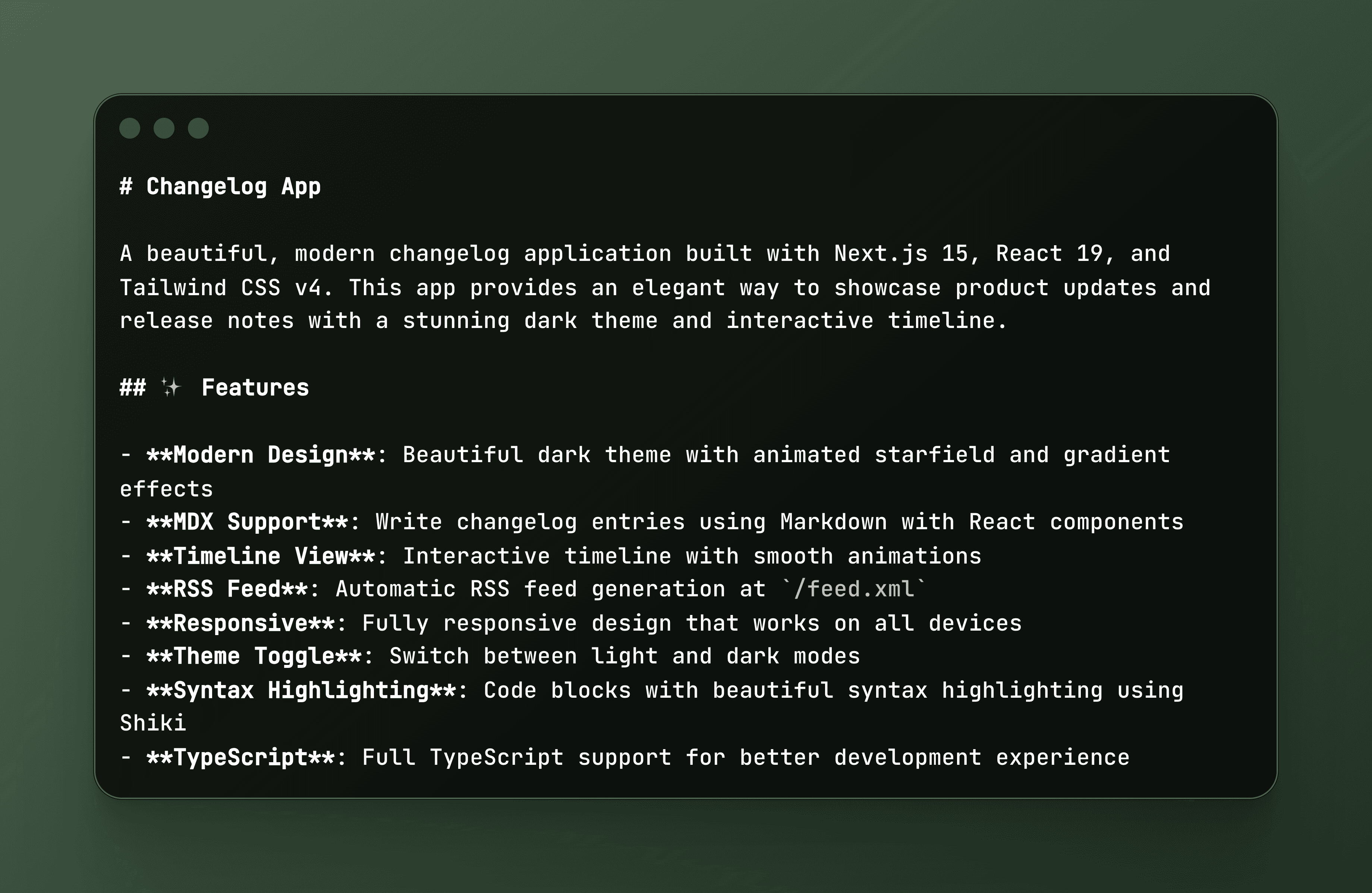
Launched our beautiful new changelog website
Built with modern technology for fast loading and great user experience
Added support for both light and dark themes
Created an RSS feed so you can stay updated automatically
Made it fully responsive so it works great on all devices
Coming Soon
Regular updates about our healthcare technology improvements
Detailed information about new features and fixes
Better ways to stay connected with our development progress
We're committed to making healthcare technology that actually helps. This changelog is just one way we're working to be more transparent and keep you in the loop about what we're building for you.